When someone may check your phone
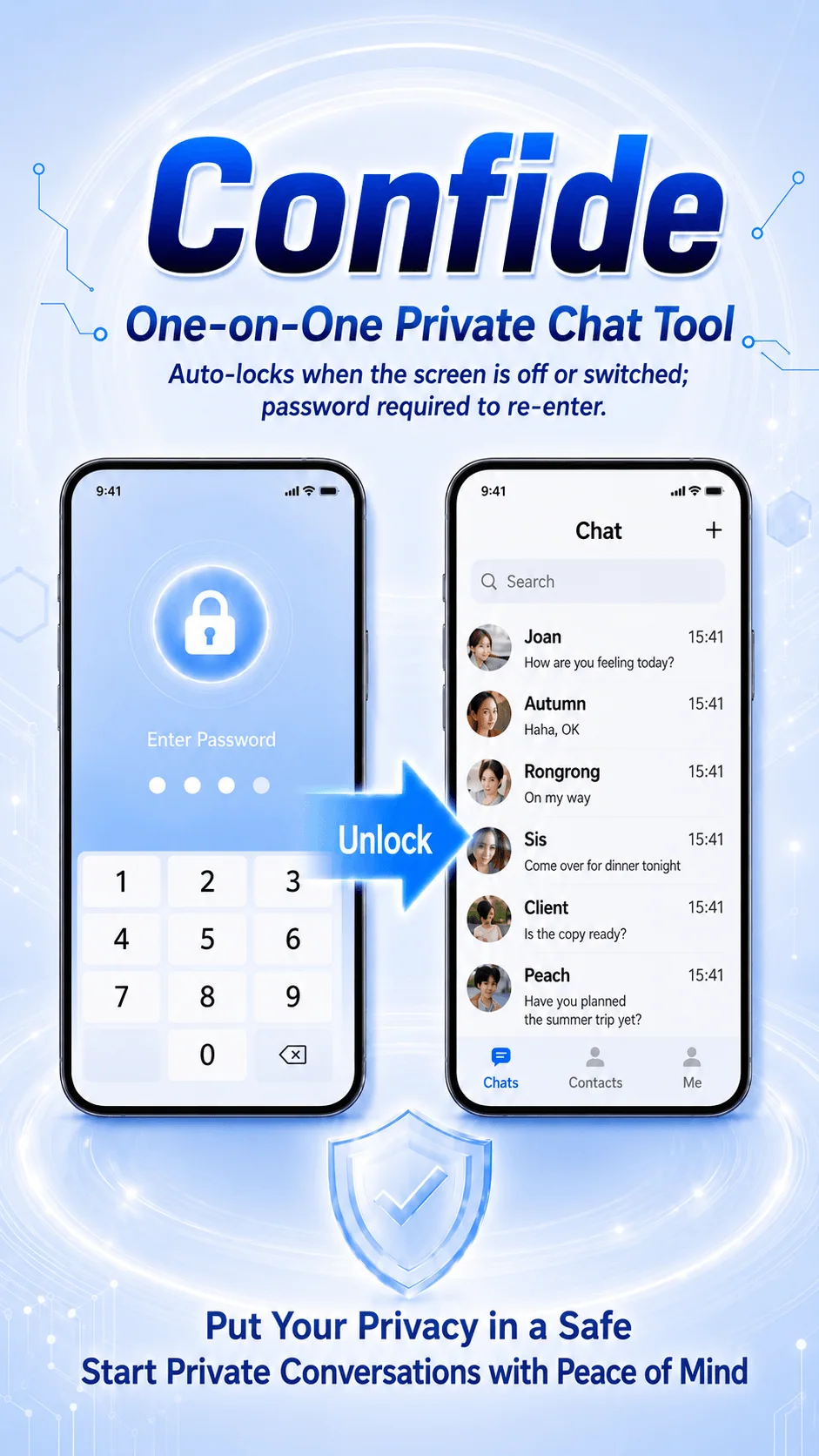
Password verification after app switching or screen wake adds another device-level safeguard for private conversations.
 Shenzhen Hongcheng TechnologyHONGCHENG TECHNOLOGY
 A product by Shenzhen Hongcheng Technology
Private one-to-one messaging with clear boundaries
Qingtan is a private messaging app for two people, with password protection, a decoy password, app disguise and hidden notification content to reduce accidental exposure of private conversations.
Free app · Contact the official channel to confirm availability and installation instructions
↗Hover or select a screen to pause and explore
Highlights rotate every three seconds. Hover or focus an item to pause and explore it.
Password protection:Verification after app switching or screen wake reduces accidental exposure.
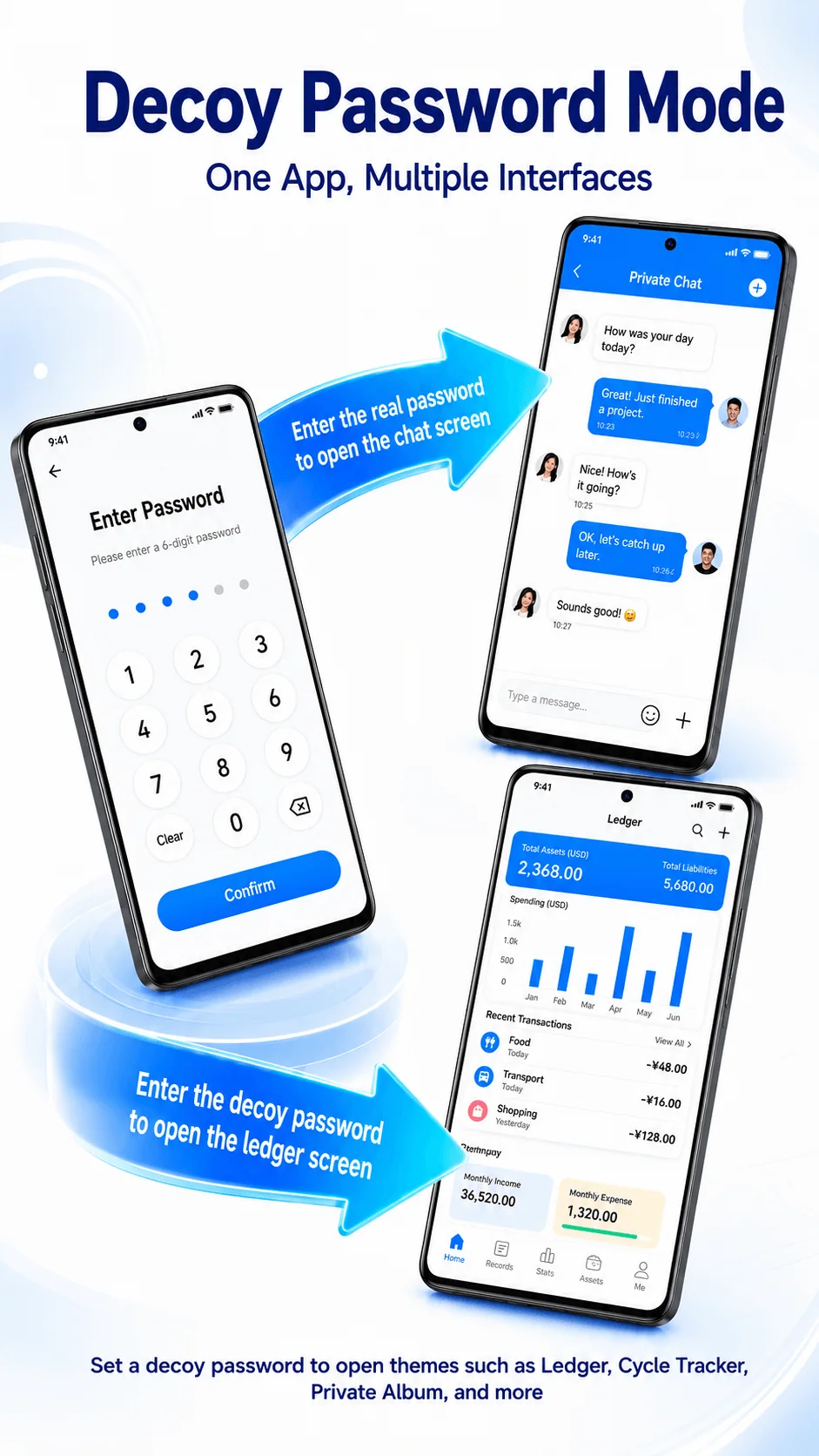
Decoy password:A separate password opens a harmless preset utility interface.
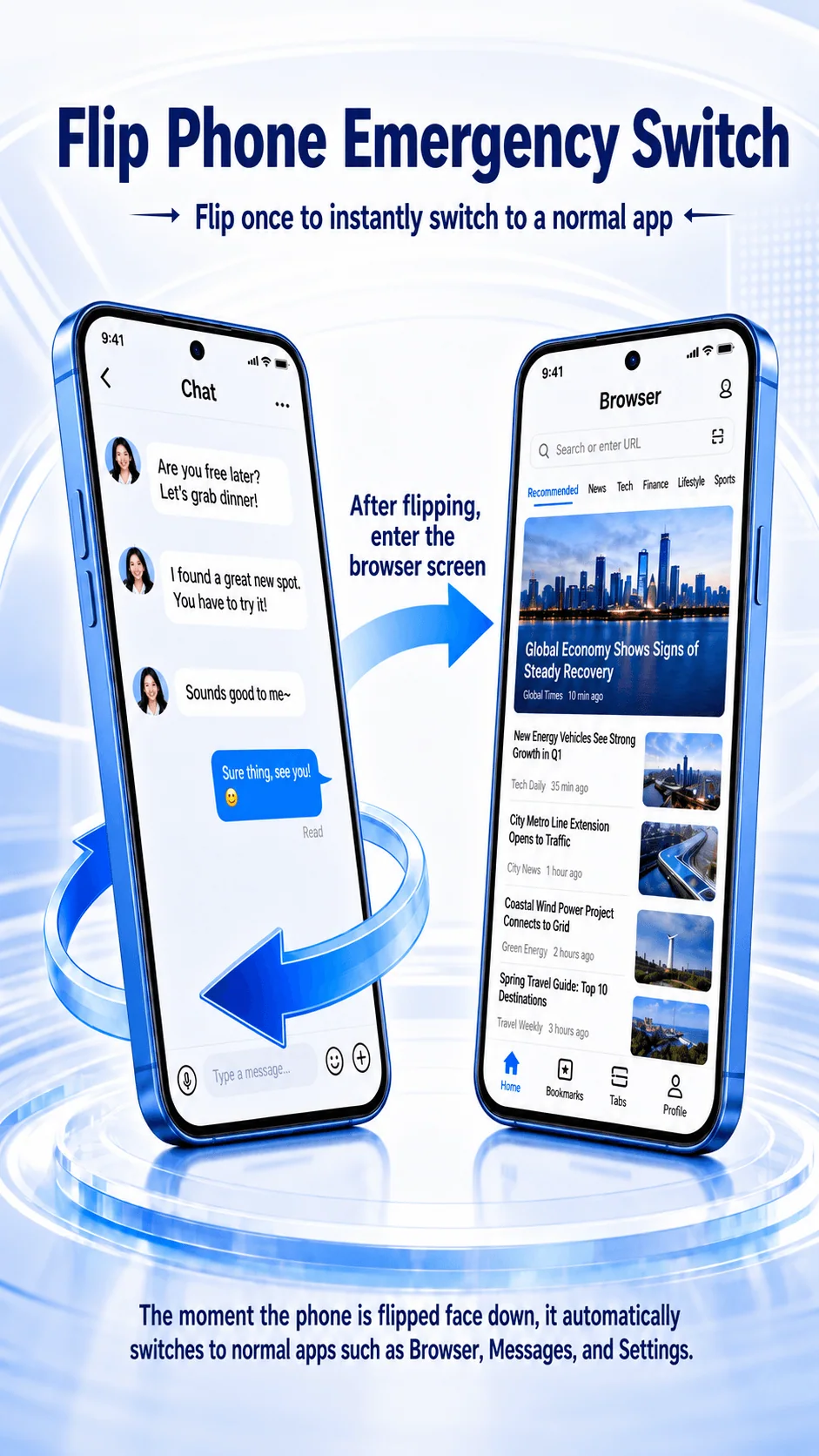
Quick privacy switch:Turn the phone face down to move to a preset ordinary screen.
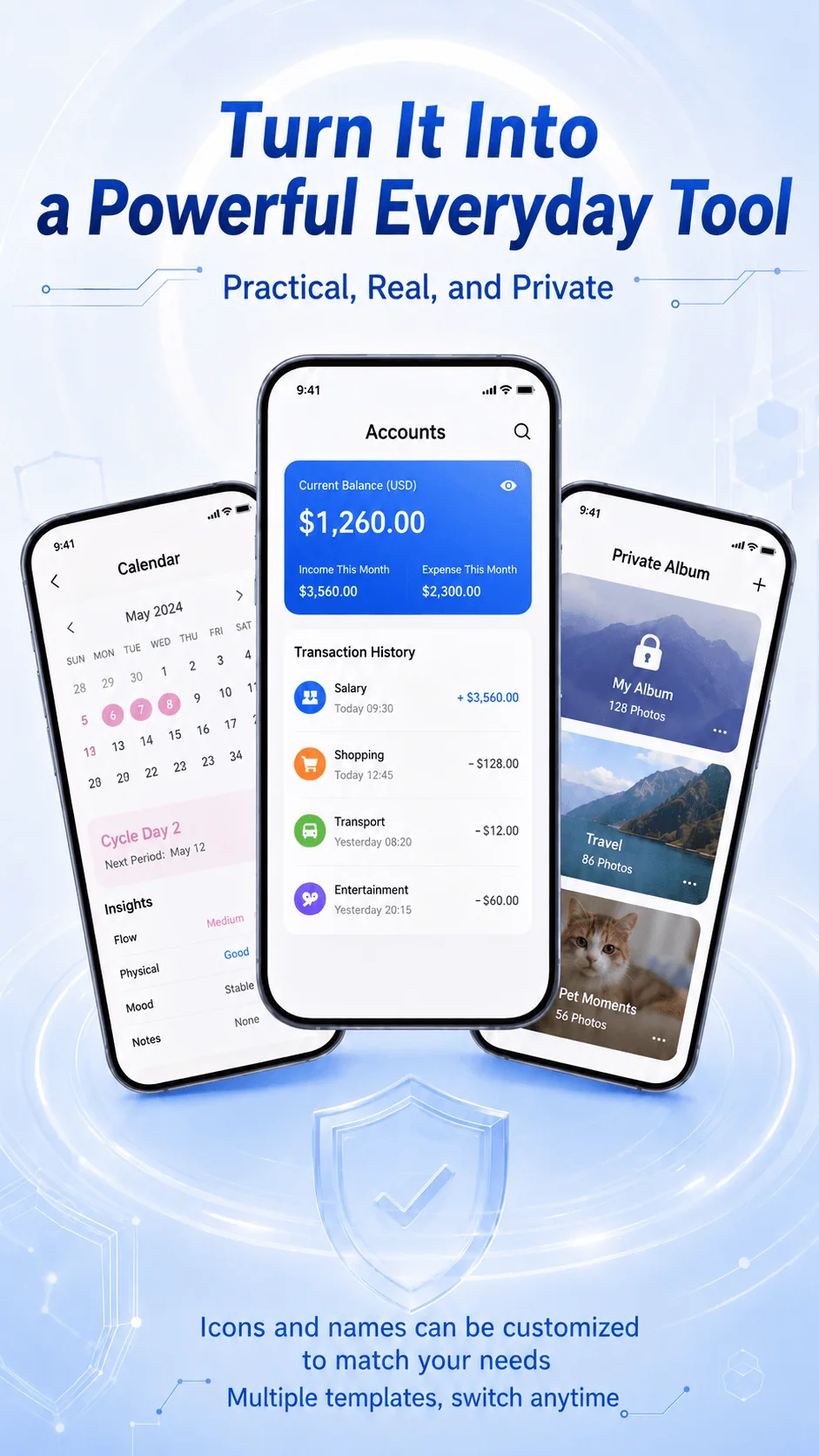
Multiple disguise themes:Choose from familiar tools such as a ledger, cycle tracker or private album.
Custom app disguise:Change both the app name and icon.
Password security:Repeated failed attempts can lock the app and trigger a security alert.
Private notifications:Notifications use a fixed message without revealing chat content.
Hidden unread counts:A generic badge keeps the actual number of unread messages private.
Qingtan is a messaging tool for private one-to-one communication. From notifications to lending a phone, it creates clearer privacy boundaries.
Password verification after app switching or screen wake adds another device-level safeguard for private conversations.
App disguise and a decoy password reduce the chance that another person opens or recognizes your private chat space.
A separate space for two-person conversations helps reduce accidental private messages sent to a work group.
Password checks, hidden notification text and concealed unread counts reduce unwanted exposure of chat information.
Require verification when returning to the app or waking the screen.
Open a preset utility screen while the real private conversation remains hidden.
Change the app name and icon so it resembles an everyday utility.
Receive new-message alerts without displaying message text or the true unread count.
Place the phone face down to switch quickly to a preset ordinary screen.
A focused, reliable private conversation experience designed for two people.
Learn about product use, privacy controls, data management and availability.
Qingtan is a private one-to-one messaging app for users who want a dedicated conversation space separate from everyday group and work chats.
Private notifications show a fixed alert instead of chat text and can conceal the real unread-message count.
The real password opens the private chat space. The decoy password opens only a preset utility interface and does not display the real conversation.
Yes. Qingtan supports app-name and icon customization so the app can resemble an ordinary utility.
The website provides Android and iOS enquiry links. Please confirm current availability and installation instructions through the official contact channel.
The Qingtan privacy policy states that personal information is stored in mainland China. Log and backup information is retained for 180 days after account cancellation; transaction information is retained for three years after a transaction or 180 days after cancellation, then deleted or anonymized.
Contact Qingtan customer service using the details in the privacy policy. Account cancellation is irreversible; after cancellation, services stop and personal information is deleted unless retention is required by law.
Read product agreements, privacy policies and third-party information-sharing details from Shenzhen Hongcheng Technology.